
Stop drawing diagrams.Start simulating.
Every NCERT concept — Thomson model, projectile motion, titration, all of it — as a live simulation you run on the smartboard. Tap, drag, change a variable, watch the concept respond. No chalk diagrams. No YouTube tab.
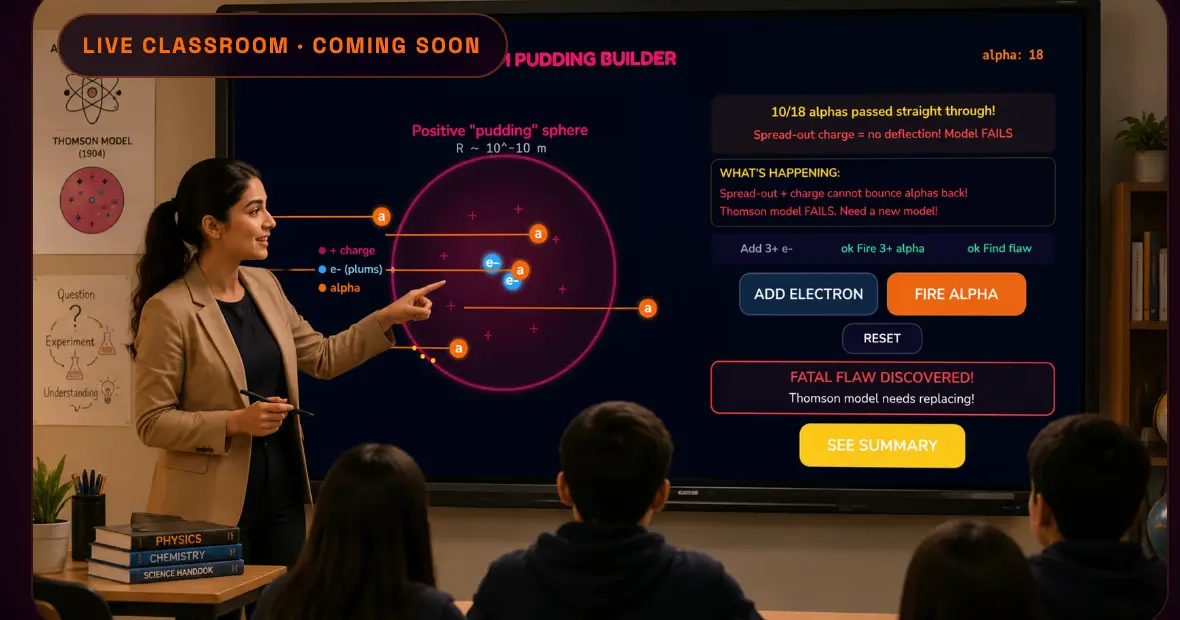
Pick a concept
100+ smartboard-ready concepts drawn from our 600+ concept-game library — Class 11–12 Physics, Chemistry, Biology.
Cast to the smartboard
HDMI, Chromecast, AirPlay — whatever your room already runs.
Run it live
Tap to change variables. Watch the concept respond in real time, with the whole class.
Ways You'll Use Logic Bloom
in Your Next Lecture
Built for Class 11–12 teachers today, with Class 9–10 and Class 6–8 rolling out soon. These tools are designed to make every science lesson unforgettable.
Project Interactive Games on the Smartboard
You'll open any chapter and project the interactive game. Students will watch forces collide, molecules bond, and cells divide in real time. No more static diagrams.
Run Lab Experiments Without a Lab
Students will conduct virtual experiments, change variables, and observe outcomes. Built for schools where lab access is limited or equipment is outdated.
Assign Chapters, Track Completion
You'll assign topics as homework through the app. Students will complete it at their pace. You'll get instant reports on who finished, who struggled, and where they need help.
Spot Weak Areas Before Exams
The teacher dashboard will show class-wide and individual analytics — see which topics score lowest and identify students who need extra attention.
CBSE, NCERT, JEE & NEET Ready
All content aligns to the latest NCERT syllabus. Use targeted practice sets for boards, or push students toward JEE and NEET-level challenges.
Set Up in Under 5 Minutes
No technical setup. No training. If you can open a browser, you can use Bloom Teachers.
Create Your Free Teacher Account
Sign up with your email and school name. Instant access to the full content library and classroom tools.
Takes 30 secondsPick Your Subject and Chapter
Browse Physics, Chemistry, or Biology. Class 11–12 chapters will be available at launch, with Class 9–10 and 6–8 following soon — all mapped to the NCERT syllabus.
CBSE & NCERT alignedProject, Play, and Teach
You'll open the interactive game or virtual experiment on your laptop, project it to the smartboard, and walk students through the concept while they watch it come alive.
Any screen sizeAssign Homework and Track Completion
End the lesson by assigning the chapter as homework. You'll track completion and concept-level performance from the teacher dashboard.
Real-time analyticsBuilt for Educators. Not Just Students.
Every feature is designed to save you time, hold attention, and give you visibility into how your students actually learn.
Save Prep Time
No more creating slides or searching YouTube. Every chapter has ready-to-use content.
100% Attention
When science moves on screen, every eye is on the board. Games beat lectures every time.
Track Everyone
Individual and class-wide analytics. Know who got it and who needs help, instantly.
Zero Boredom
XP, streaks, and multiplayer battles keep students engaged and asking for more.
Safe & Moderated
No open chat. No inappropriate content. Designed with student safety as the priority.
Free to Start
Full access to core features at zero cost. Premium analytics available for schools.
Our commitment to educators
"We're building this with teachers — early-partner classrooms get first access and shape what ships."
Teacher FAQs
You'll open Logic Bloom on your laptop, select any chapter, and project the interactive game or virtual experiment on your smartboard. You'll also be able to assign chapters as homework and track concept-level performance from the teacher dashboard.
Yes. Teacher accounts will be free with access to the full content library, classroom tools, and basic analytics. Premium features like advanced analytics and custom quiz creation will be available for institutional plans.
All content aligns to the NCERT syllabus for CBSE. Class 11–12 will be live at launch, with Class 9–10 and Class 6–8 rolling out soon. JEE and NEET-level content is included for competitive exam prep.
Just a laptop or tablet with internet access. Any standard projector or smartboard works for classroom projection.
Bloom Teachers is currently in development and launching soon. Join the waitlist below to get early access and be among the first educators to use it in your classroom.
Get Early Access
Be among the first teachers to use Bloom Teachers in your classroom. We'll notify you the moment it's ready.
Free forever for educators. No spam, ever.
